airconfig
About
Airconfig aims to be a simple, easy-to-use wireless network configuration tool for Linux (support for other platforms will be added if possible). The inspiration for the user interface is the MacOS X AirPort menu. Currently Airconfig is in an alpha state, and is probably not suitable for use by most people. Airconfig is available under the terms of the GNU General Public License.
Requirements
- Glib 2.8.0+
- Gtk+ 2.10.0+
- libexo 0.3.x
- D-Bus 1.0.0+
- dbus-glib 0.72+
- HAL 0.5.7+
- wpa_supplicant 0.5.7+
- dhclient, dhcpcd 3.0+ (NOT 2.x), or pump
- xfce4-dev-tools (only for building from Git)
Downloads
Airconfig is not complete, and therefore has never been formally released. Actually, at this point, it’s in a stalled state of development. Since NetworkManager 0.7 actually looks pretty decent as compared to 0.6, I may rewrite Airconfig to be a NM 0.7 frontend (since nm-applet appears to require gnome-panel for some strange reason). However, if you want to play around with bleeding-edge, possibly-broken code, you can download the latest-and-greatest from the Git repository. Using a command-line ‘git’ client, this will fetch the sources for you:
1git clone git://git.xfce.org/apps/airconfig
Installation
Using sources from Git, you can compile and install Airconfig by issuing the following commands from the root of Airconfig’s source tree:
You will of course need to run make install as root, or you can
change the --prefix parameter to point to a directory where your user
has write permissions. I do not recommend installing Airconfig to a
normal system location (such as /usr) at this time, as the files
installed may change as development progresses. As it is currently,
Airconfig needs certain files installed to HAL’s prefix, so be
forewarned that stale files may accumulate if you aren’t careful.
Screenshots
Repeat after me: “Ooooooooh! Ahhhhhhhh!”
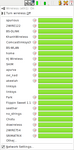 Airconfig Networks Menu |
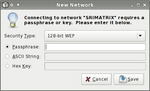 Airconfig Key Entry Dialog |
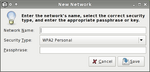 Airconfig Hidden Network Dialog |
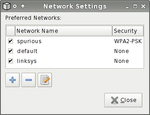 Airconfig Network Settings Dialog |
Documentation
Currently, no end-user documentation exists. Hopefully Airconfig should be fairly intuitive even to a reasonably non-technical user. Simply running ‘airconfig’ from the command line should start it up. For more information as to the state of Airconfig development and other caveats for use, please see the latest Airconfig README.
Contributing
Airconfig likely has quite a few bugs. Please report them on Xfce Bugzilla. I’m working on a lot of different things in Airconfig at the moment, so I may not get to your bug report for a while. Please be sure to update to the latest code before reporting a bug. Since I’m concentrating right now on just getting it working properly, I don’t have time to offer any kind of support. If you encounter problems and decide to file a bug, a patch to fix your problem would also be very helpful! But don’t let the lack of a patch stop you from reporting your problem.
Airconfig’s codebase is probably in too much flux right now for any meaningful code contributions to be made. At this time I probably will not accept feature-enhancement patches. I have a very good idea as to what features I want Airconfig to have (and, more importantly, what features I don’t want it to have). After the codebase settles down a bit, we can talk about extra things to add.